Add formula fields
For certain document forms, it’s required to calculate a numeric value of fields automatically based on values provided on the previous fields. For example, for a receipt, the sum of expenses should be automatically calculated and displayed on the document page. To achieve this, a formula can be added to a DocuSeal number field.
To add formula to a number field:
- Click on the settings () icon next to the field name.
- Select Formula from the dropdown menu. Alternatively, you can right-click on the field area to open the context menu and select Formula.
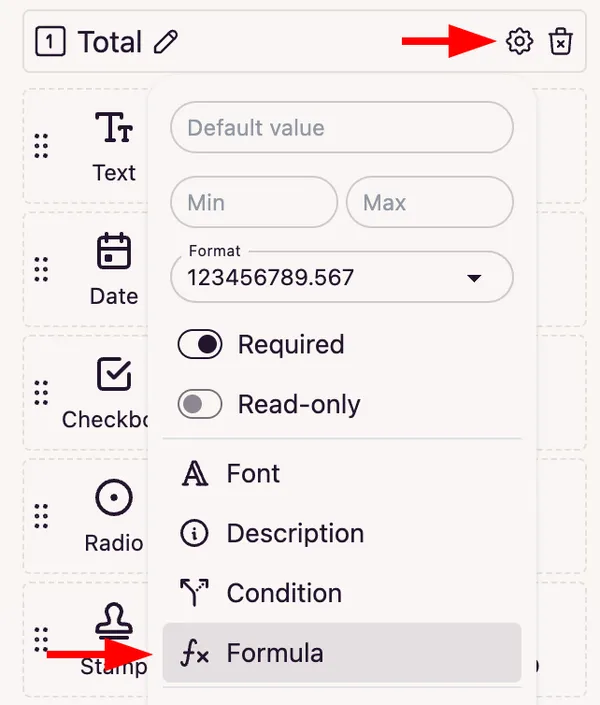
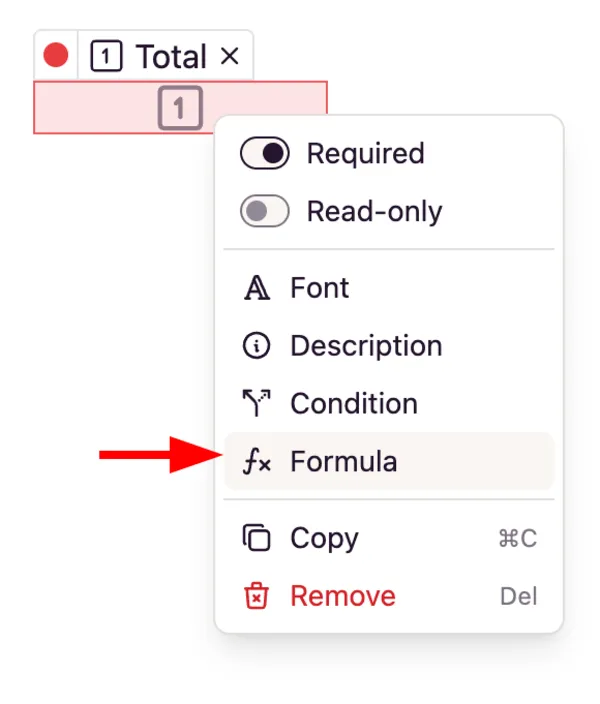
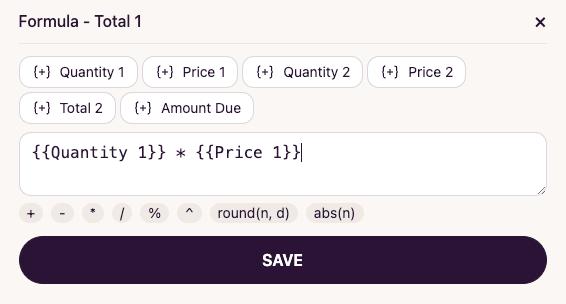
- In the formula modal, you’ll see a list of all the available number fields at the top and a list of the available mathematical operations at the bottom.
- Click on the field to add it to the formula.
- Type a mathematical operation like multiplication or division, or click on the operation to add it to the formula.
- Once the formula is completed, save it by clicking the Save button.
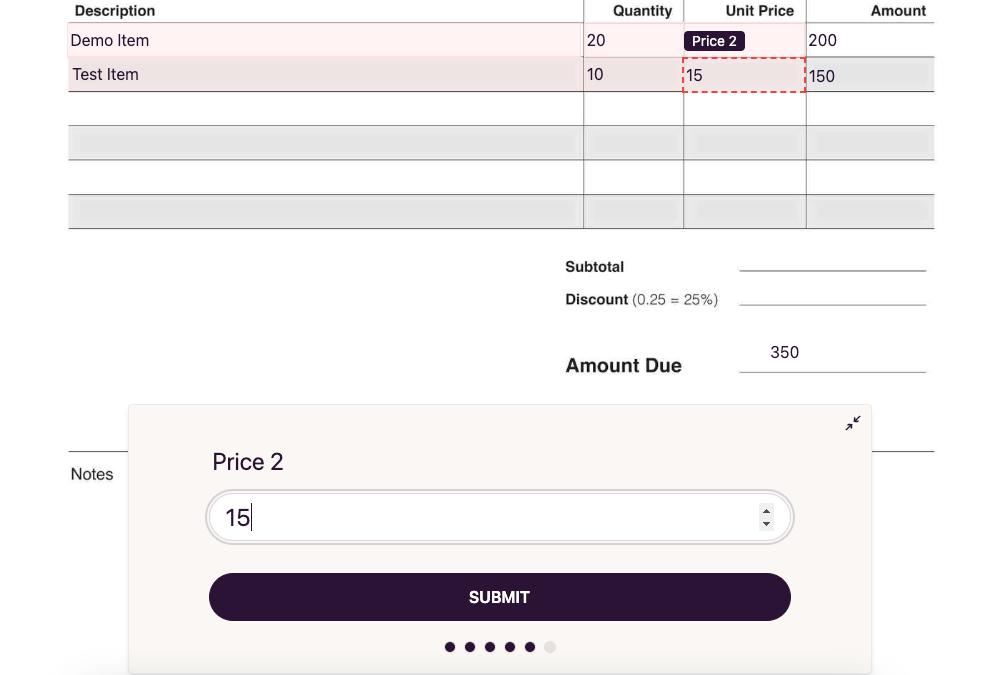
Now, when signing the document, the value of the Amount field in the invoice will be automatically calculated based on the specified values of previous fields.
Date fields in formulas
Date fields can be added to a formula the same way as number fields. In a formula, a date works as a number of days, so dates can be subtracted from each other or shifted by a number of days.
Once a date field is added to the formula, two date functions become available at the bottom of the formula modal:
today()- the current date.datedif(start, end, "y")- the difference between two dates in full years ("y"), full months ("m"), or days ("d").
| Formula | Result |
|---|---|
datedif({{DOB}}, today(), "y") |
Age in full years |
datedif({{Start}}, {{End}}, "m") |
Number of full months between two dates |
{{End}} - {{Start}} |
Number of days between two dates |
today() - {{Date}} |
Number of days passed since the date |
This is one of the ways how DocuSeal streamlines the document signing process and reduces the complexity for our users and signers.