DocuSeal has made document signing easier for everyone. Now with PayPal integration you can request payments and signatures at the same time, allowing you to automate your entire business workflow.
PayPal is one of the most widely recognized payment platforms in the world, used by hundreds of millions of people to send and receive money. Your signers already know the checkout flow and many of them already have an account, so there is nothing new for them to learn when it is time to pay.
In this blogpost we will talk about how the DocuSeal integration with PayPal works and how it can help improve your business processes. If you would rather collect payments with Stripe, read our guide on accepting Stripe payments and requesting signatures.
Why is PayPal integration important?
Businesses use an online document signing platform for signing contracts. Once the contracts are signed, businesses will usually follow up with an email to the customer attaching an invoice requesting payment. One of the issues with this process is late payments. In addition a lot of manual effort goes into back and forth emails regarding payments. Late payments and manual effort, two challenges that can cast a shadow on your business success.
With DocuSeal’s PayPal integration, you can bid farewell to late payments and endless email threads. We bring payments and signatures to the same stage, simplifying your workflow and ensuring that your business stays on the fast track.
Adding PayPal alongside our existing Stripe integration also means your signers can pay the way they prefer. Some customers trust a PayPal balance or a linked bank account more than typing card details into a form, and giving them that choice removes one more reason to delay.
Use cases that require signatures and payments
You can get paid instantly when requesting a payment with a signature. PayPal integration allows you to collect a one time payment while collecting an eSignature.
Some examples of when requesting signature and payment at the same time might be helpful:
- Software companies requesting payments for partnership fees
- Universities that are onboarding students and accepting tuition fees
- Small businesses like construction or repair services requesting deposits from customers after signing contracts
- Legal, accounting or insurance services requesting payments for planned work
- Freelancers and agencies working with international clients who already pay through PayPal
How do DocuSeal Payments work?
Log into your DocuSeal account or sign up for a new DocuSeal account.
No trial or credit card required.
Edit an existing document template or create a new template to send for signature and payment request. Add the necessary fields per your requirement. Add the payment field in order to request the payment along with signatures.
In the example below a “Payment” field has been added to the template. Choose the currency you would like to collect the payment in and specify the amount, then click “Connect PayPal”. By default the field label shows the amount, so in this example it reads “Payment $100.00”. You can also rename the field to reflect the nature of the transaction, such as “Service Fees”, so your signers know exactly what they are paying for.
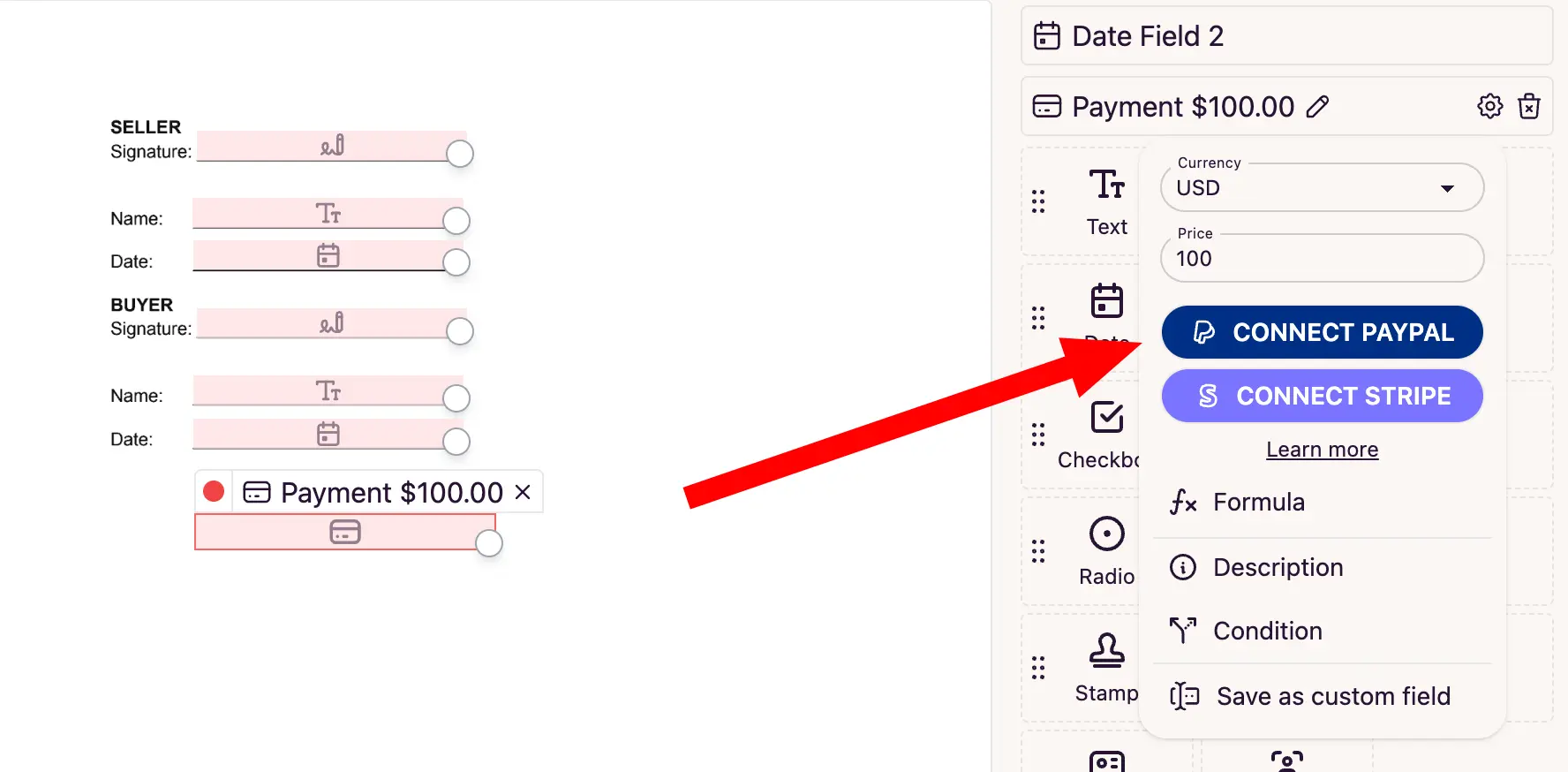
The amount does not have to be fixed. Using the “Formula” option on the payment field you can calculate the price from other fields in the document, for example multiplying a quantity by a unit price or adding a tax percentage on top of a subtotal. Read our formula fields guide to learn how to build the calculation.
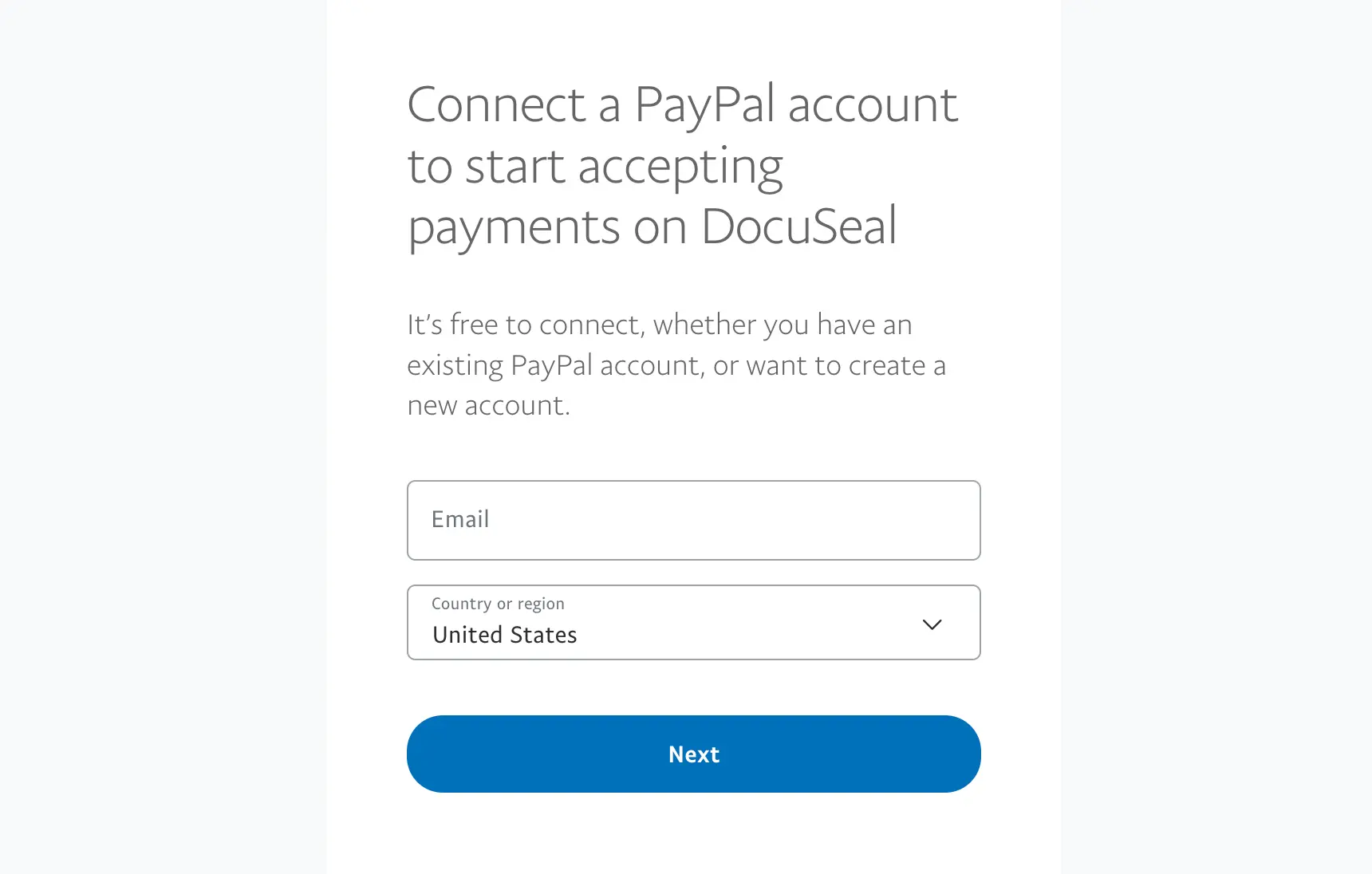
If you already have a PayPal account, connecting takes a few seconds. If you are new to PayPal you can create a free account during the same onboarding flow without leaving the process.
Once the document is ready “Add Recipients” to send the document requesting signature and payment.
In the sent document, your recipients will get the below view where they can “Sign” and securely “Pay with PayPal” for your product or service.
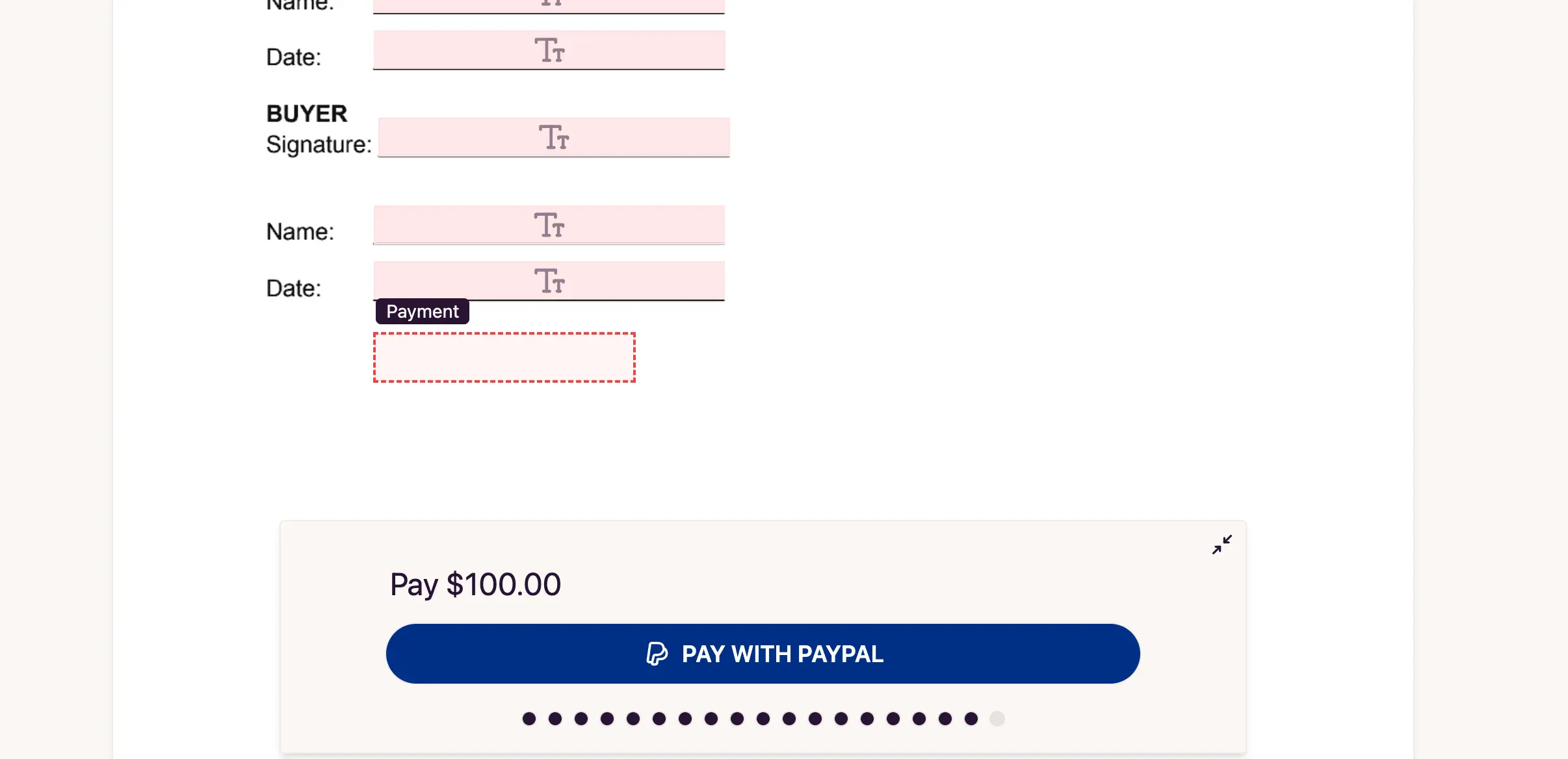
Payments are processed if your signer clicks the “Submit” button on the document after they “Sign” and “Pay with PayPal”.
How does DocuSeal manage your payments?
The payment receipt will be available both in DocuSeal and in PayPal. Payment details are not stored by DocuSeal for security reasons, the checkout is handled by PayPal. You will receive the payment receipt via email once the document is signed. You will also be able to download the receipt using a clickable link in the signed document.
Who can request payments?
The PayPal integration is available on DocuSeal Pro. It is not included in the Free Basic plan, so you will need a Pro account to connect PayPal and request payments with your documents.
Payment fees
DocuSeal does not charge any processing or commission fee on the payments you collect. When you collect a payment through your connected PayPal account, only the standard PayPal transaction fees apply, exactly as they would on any other PayPal sale.
Contact us if you have any questions or suggestions about our PayPal Integration.