Create dynamic document templates
A Dynamic Document is a personalized template where the actual content, text, and dates can change for every signer. Unlike a standard document, it adjusts its layout based on the data you provide.
This feature is available in the Pro plan
Dynamic document vs. Static document
| Dynamic document | Static document | |
|---|---|---|
| Content | Editable: You can change text or insert variables before sending. | Fixed: The text and layout are locked and cannot be changed. |
| Flow | Fluid: Pages expand or shrink based on the amount of data added. | Rigid: The document always has a fixed number of pages. |
| Personalization | Uses [[variable_name]] to insert dynamic content into the document. Can include [[if:]] conditions and [[for:]] loops. | You can only "overlay" text boxes on top of the fixed document page. |
| Use cases | Best for personalized contracts, dynamic invoices, or quotes. | Best for one-off contracts, standard forms, waivers etc. |
How does this work?
Only DOCX files can be converted to dynamic documents. Static PDF files can't be converted to dynamic documents.
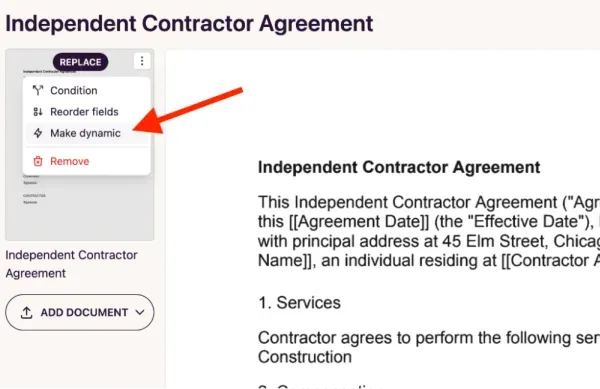
- Upload the DOCX document to your DocuSeal dashboard. After uploading the DOCX, click on the ellipsis in the left pane and choose the Make dynamic option.
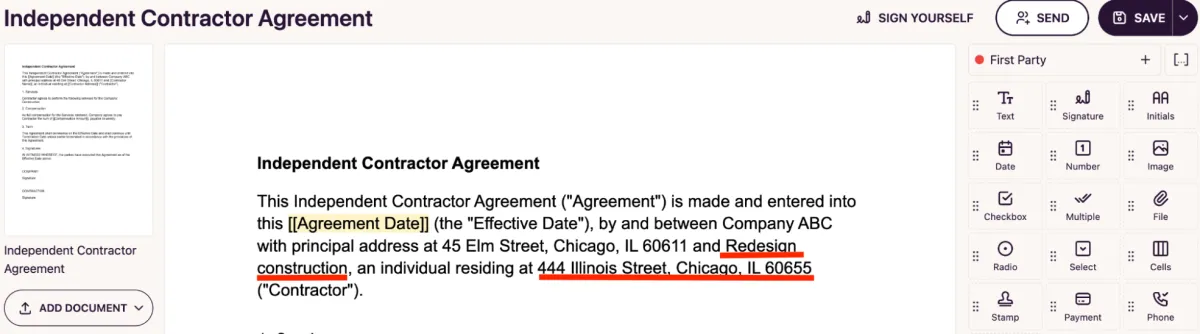
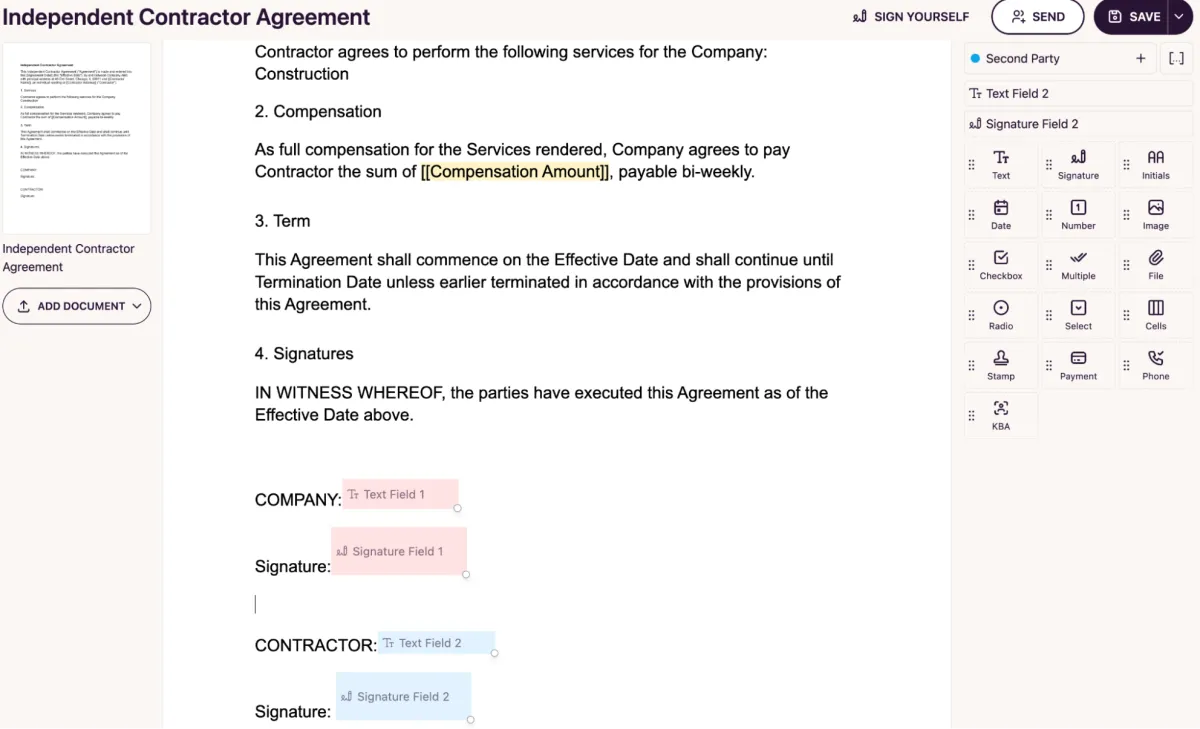
- Now the DOCX is editable. For example, you can edit the Contractor Name and Contractor Address directly in the document.
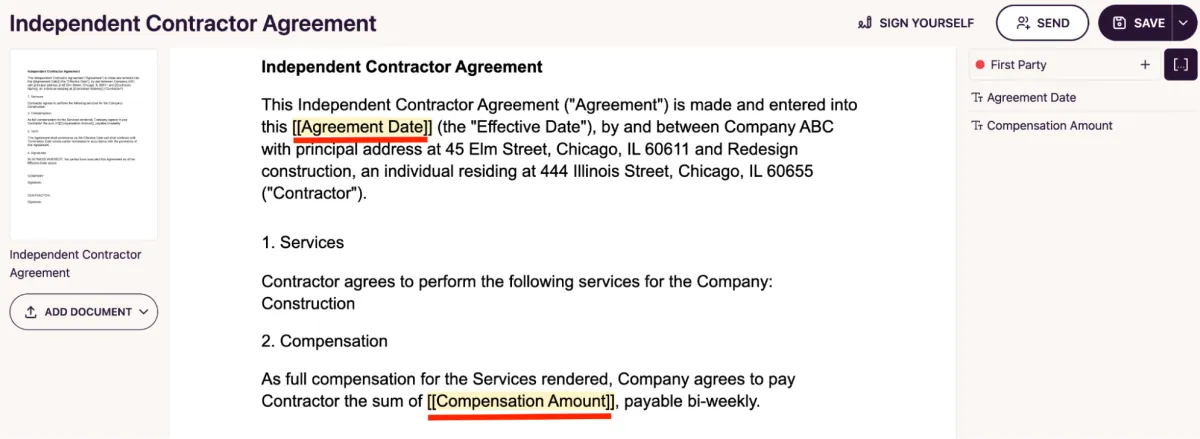
- Variables: Using [[variable_name]] tags allows you to insert dynamic placeholders directly into your document’s text that act as fill-in-the-blank fields for the sender. This lets you personalize contracts or invoices by adding specific names, dates, and other data without ever having to manually edit the original file.
- Variables such as [[Agreement Date]] and [[Compensation Amount]] can be filled out by the sender before sending the document for signature.
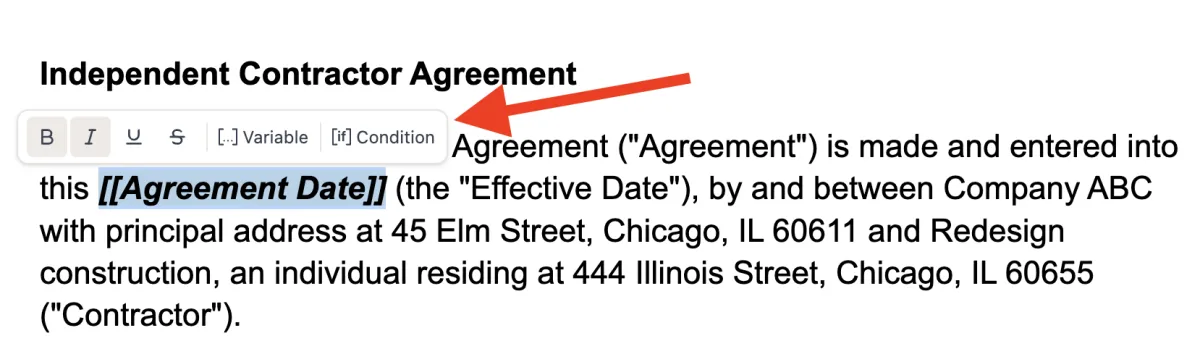
- You can also apply custom formatting to the [[variable_name]] to match your preference. For example, in this template, the [[Agreement Date]] variable is italicized to ensure it stands out once the data is populated.
- Now drag and drop the necessary fields to be filled by the signers before sending this document for a signature request.
- At the time of adding recipients, the sender is prompted to fill in the [[Agreement Date]] and [[Compensation Amount]] variable values.
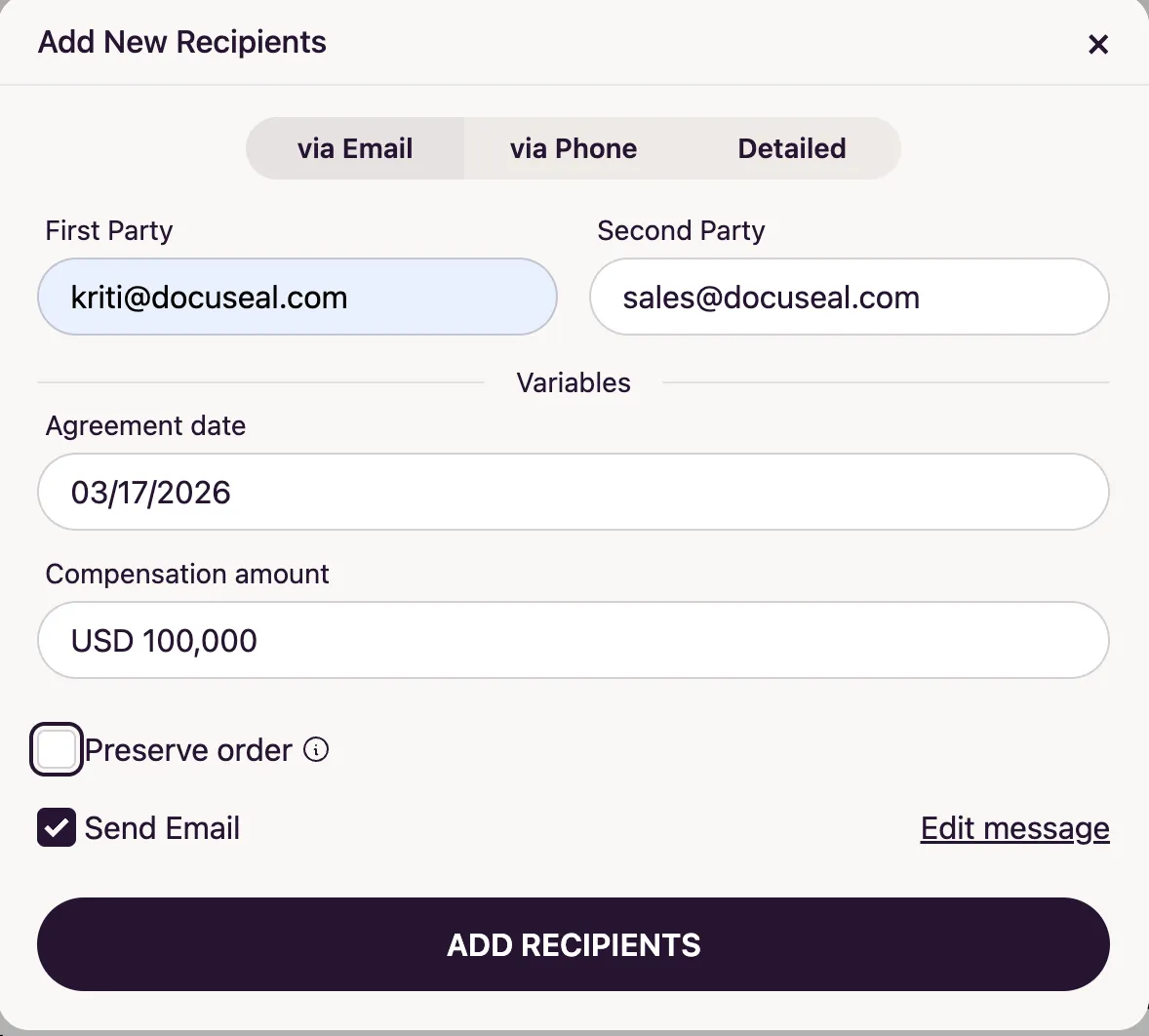
- Click on Add recipients and send the signature request.
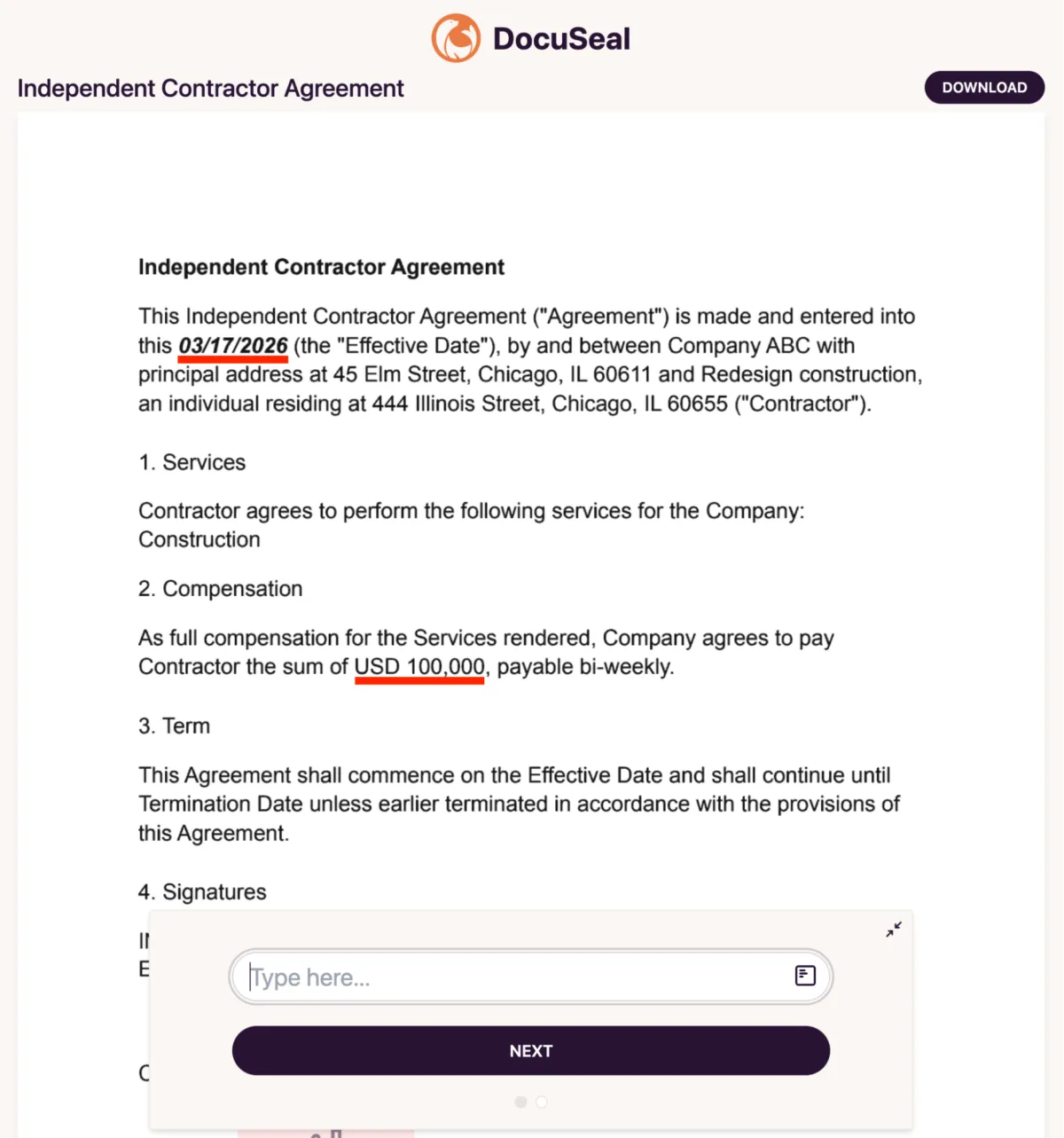
- From the signer’s view, the [[Agreement Date]] and [[Compensation Amount]] are filled in with the values entered. The [[Agreement Date]] is italicized and has maintained its format.
How does IF condition work?
- Upload a DOCX document as usual. Click on Make dynamic from the left pane.
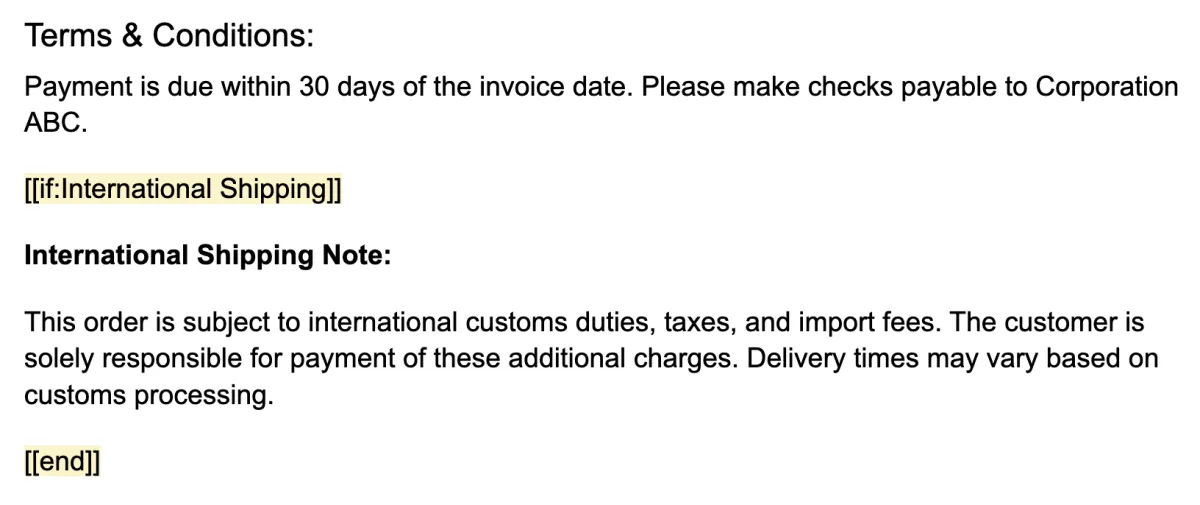
- Set up an IF condition to automate the document’s content: if International Shipping is toggled on, the relevant note appears automatically. If it’s toggled off, the entire section is hidden, ensuring the signer only sees the terms that apply to them.
- Drag and drop the necessary fields (in this case date and signature) and click on Send.
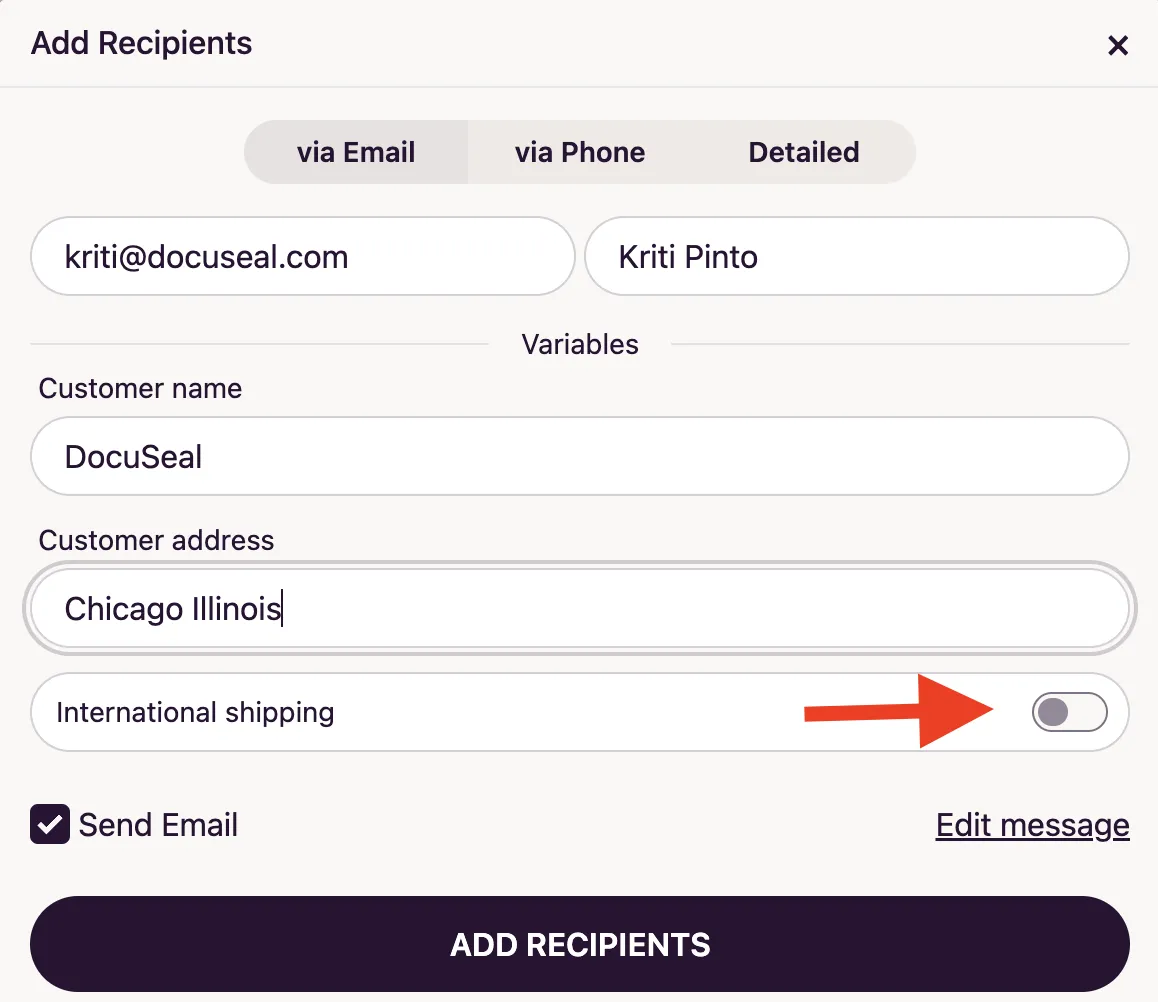
- Before the document is sent, the sender provides the values for variables like [[customer_name]] and [[customer_address]]. In this example, the International Shipping toggle is left off, so the International Shipping Note will be automatically removed from the document.
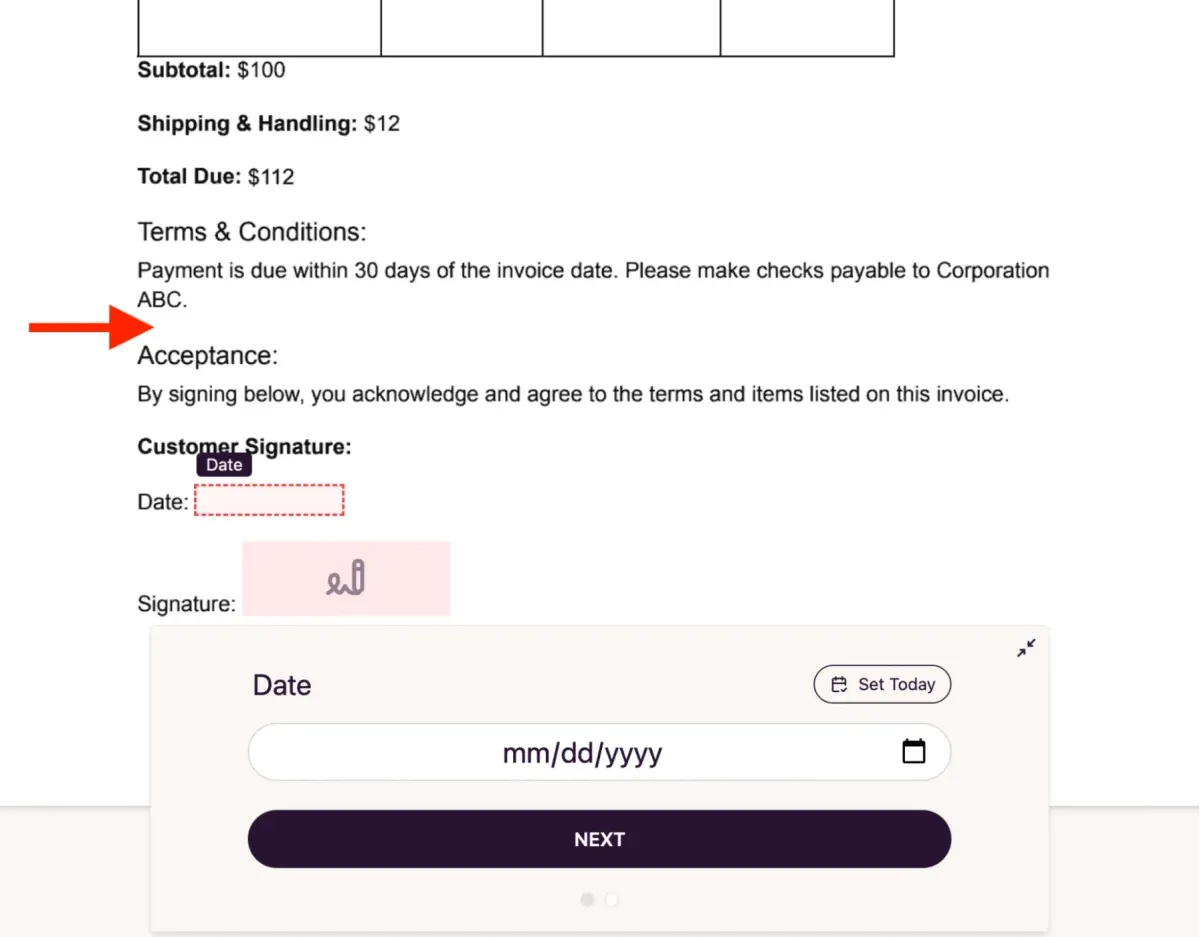
- Since the international shipping option was toggled off, the corresponding note was automatically excluded from the final document. This demonstrates how conditional logic keeps your contracts clean by only displaying the clauses that are relevant to the specific transaction.
Summary
Dynamic documents in DocuSeal give you full control over what appears in each document - without manually editing files every time. By combining variables and IF conditions in your DOCX templates, you can automate personalization, hide irrelevant clauses, and deliver clean, professional documents tailored to every recipient.