Add a CC view-only party
Not every recipient of a document has to sign it. A CC view-only recipient receives an email invitation to view the document instead of a signature request, and they can open and download the document without signing or filling anything.
There are two ways to add a CC view-only recipient:
- When sending the document: select CC View-only on the Detailed tab of the Add New Recipients form. This is the quickest option and it doesn’t require any changes to the template.
- In the template: add a party without fields. Use this option when the same viewer role should be part of every document sent from the template, or when the viewer should be emailed at a specific step of the signing order.
Add a CC view-only recipient when sending
- Open the template and click Send to open the Add New Recipients form.
- Select the Detailed tab at the top of the form. With a single signing party, the via Email tab only has a field for email addresses and doesn’t show the Add New menu.
- Enter the details of the signing parties as usual.
- Click Add New below the recipients and select CC View-only.
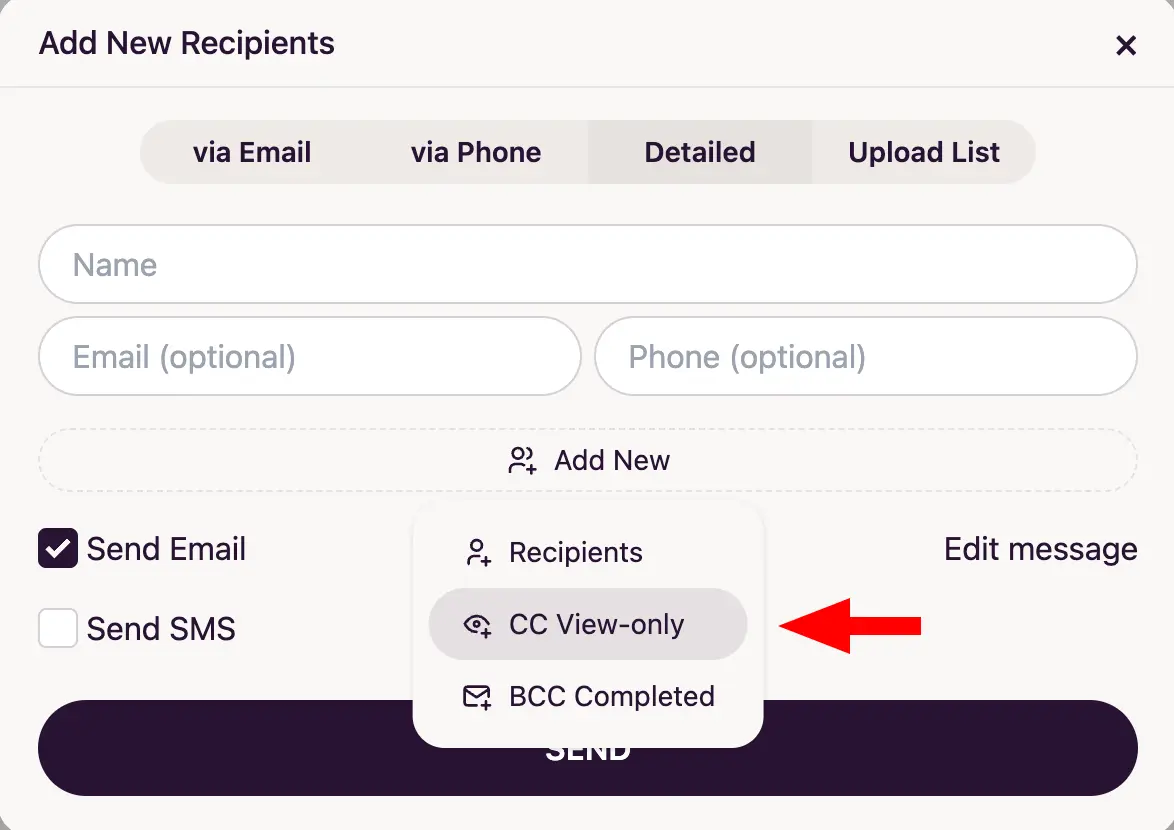
- Enter the email address of the viewer in the CC View-only field that appears below the recipients. Select CC View-only again to add more viewers, or click the trash icon to remove one.
- Keep Send Email checked so that the viewer is notified and click Send.
The CC view-only recipient is added only to the documents sent from this form and the template itself is not changed. The viewer is emailed together with the signing parties. With Preserve order checked, the viewer is emailed at the same time as the last signing party.
The other options of the Add New menu are Recipients, to send the same document to one more set of recipients, and BCC Completed, to email a copy of the document once it has been completed.
Add a view-only party to the template
A party without any fields is treated as a CC view-only recipient. To add one:
- Open the template you want to add a viewer to in the builder.
- In the top right corner, click the + button next to the party name and select Add Second Party (or the next party in the list).
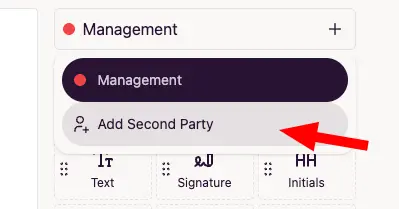
- Hover over the new party name and click it to rename the party, for example to Viewer or CC.
- Don’t assign any fields to this party. A party with no fields is a view-only recipient. Make sure that none of the fields on the document belong to it.
- Click Save in the top right corner.
Sending the document to a view-only party
- Click Send and enter the email address of the view-only party next to the signer emails in the Add New Recipients form.
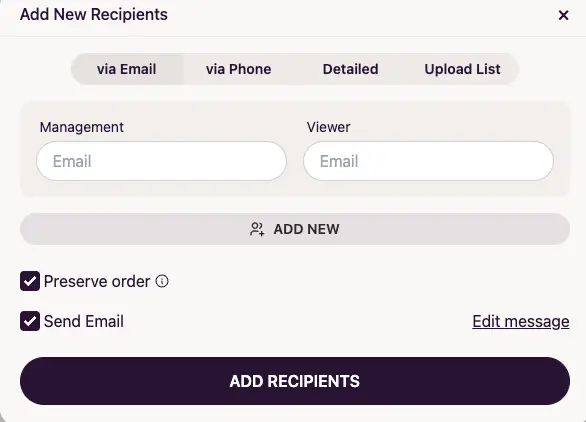
- Keep Send Email checked so that the viewer is notified. With Preserve order checked, a view-only party is emailed at the same time as the signing party that comes before it in the signing order, not after that party signs the document. A viewer placed above every signing party is emailed immediately. See signing order to change the order in which parties are emailed.
- Click Send.
The viewer receives a You are invited to view a document email instead of the signature request email. It contains a View Document link that opens the document for viewing and downloading, with no fields to fill and nothing to sign.
Personalize the view invitation email
The view invitation uses its own email message, separate from the signature request email. For a view-only party of the template, click Edit message in the Add New Recipients form to change the subject and the body of the email before sending it, and use the Add variable menu to insert values such as {{template.name}} or {{account.name}}.
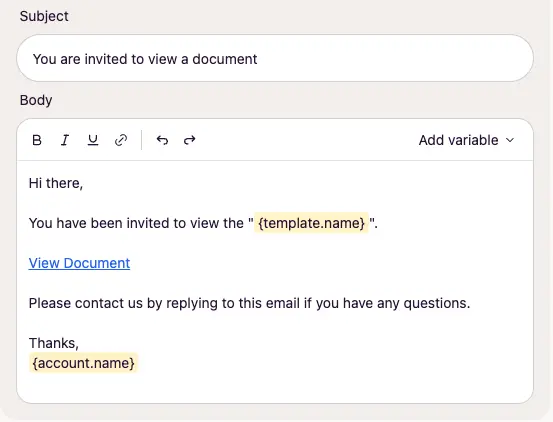
A recipient added with the CC View-only option receives the default view invitation email.
Note
To send a copy of the document only after it has been signed, select BCC Completed in the Add New menu or use BCC recipients.